
Person Enrichment Integration
This article covers how to set up and use the Person Enrichment integration found in the Integrations tab of your Firm Settings.
Note: Only users with a Partner or Admin role can access and manage the Integrations tab in Firm Settings. This feature is not mobile accessible.
Overview
The Person Enrichment Integration connects your Firm Database with LinkedIn Public Profiles through a fully managed data layer. Use it to update candidate records one at a time or in bulk, so your team can stay focused on day-to-day work rather than manually maintaining contact details.
Enrichment and resume parsing each use 2 credits per action. Credits are shared across your firm and are consumed whenever a valid enrichment or resume parse request is processed.
Note: CSV imports and manual data entry do not use credits.
Checking Your Credit Balance & Purchasing Credits
Admins and Partners can view the firm's available credit balance and purchase additional credits in Firm Settings > Integrations > Direct Integrations > Person Enrichment.
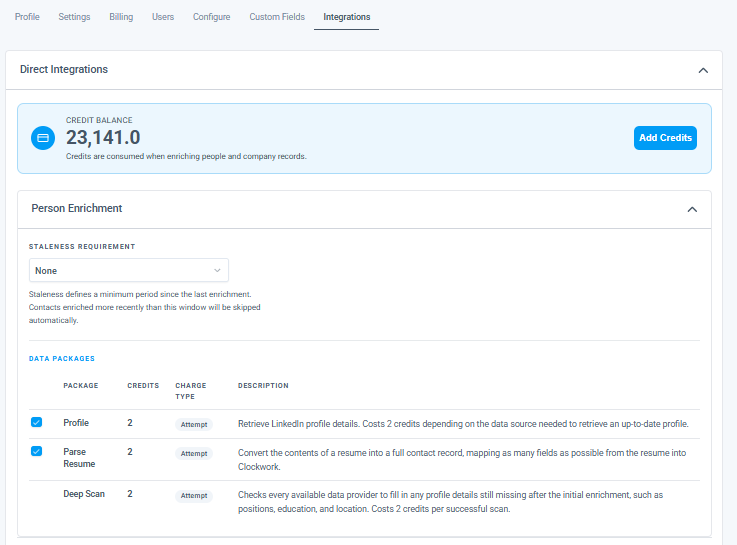
Staleness Requirement
The Person Enrichment has its own Staleness Requirement setting. This defines a minimum period since the last enrichment. If a person is enriched within the time frame, it will be automatically skipped without using credits.
Example: If set to 3 months, the same person record cannot be enriched again until 3 months have elapsed since the last update.
Note: Use this setting to avoid unnecessary credit usage on recently updated records.
Tracking Activity
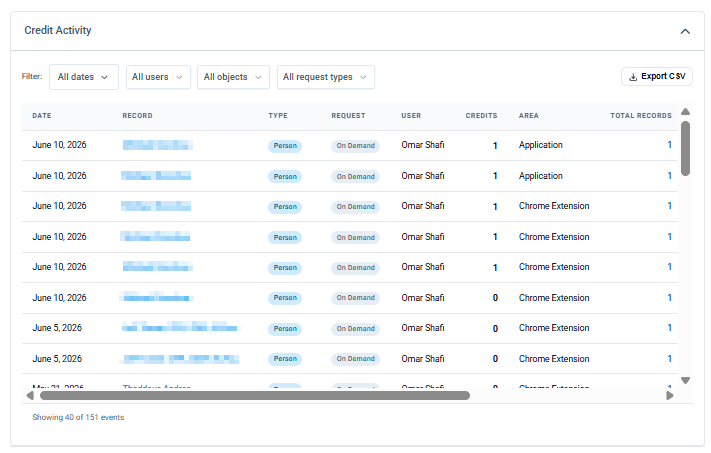
Reports for total records updated over any time period are available in Firm Settings > Integrations > Integration Activity.
Disabling Person Enrichment
- Go to Firm Settings > Integrations tab
- Navigate to Direct Integrations > Person Enrichment
- Unselect the Package checkbox
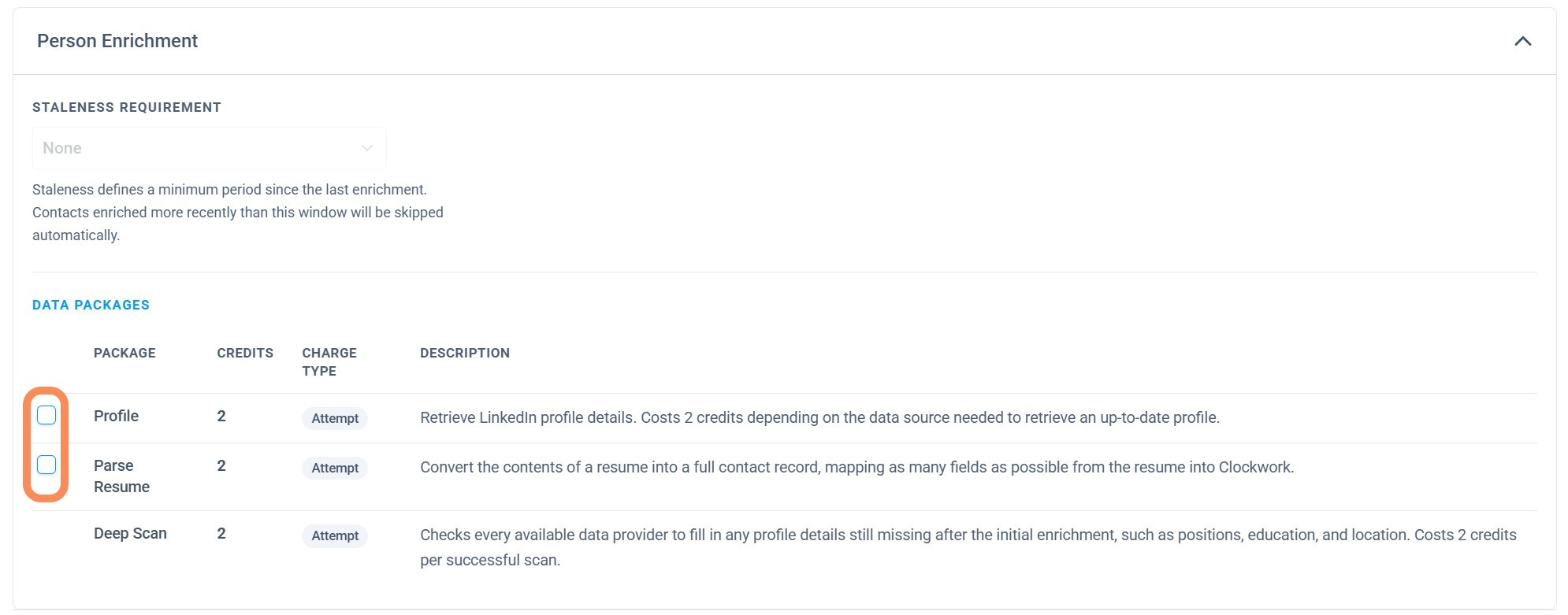
Once disabled, Person Enrichment buttons will no longer appear on a person record or display for bulk enrichment.
Note: Disabling the integration pauses enrichment buttons for all users but does not cancel any subscription or affect your credit balance.
Credit Usage Summary
Action
Credits Used
Person enrichment (one record)
2 credits
Resume parsing
2 credits
CSV import
Free
Manual data entry
Free
| Action | Credits Used |
|---|---|
| Person enrichment (one record) | 2 credits |
| Resume parsing | 2 credits |
| CSV import | Free |
| Manual data entry | Free |
The Clockwork Person Enrichment Integration uses data providers to connect your Firm Database with LinkedIn Public Profiles. You can use this integration to update candidate records one by one or in bulk. Reports for total records updated over any period of time are found in the Integrations tab under the Credit Activity section. Admins and Partners can obtain credits by selecting Add Credits in Firm Settings > Integrations.